Everything a campus needs — nothing it doesn't
A kiosk app for the gate, a web panel for the office, and a portal for members. Switch each module ON or OFF for your institution.
Fast at the gate, reliable everywhere
On-device face recognition
Faces are matched on the kiosk itself — quick, and it keeps working on a slow or no connection.
Liveness check
Looks for a real, live face, making it hard to mark attendance with a photo or a screen.
Offline first
Scans are stored safely on the device and synced in the background as soon as the internet returns.
Many kiosks, one record
Marked IN at the main gate, OUT at the library — the system keeps every kiosk's IN / OUT in the right order.
Code / QR verification
Optional second step: the member types a short code or shows a QR, then the face is checked against that person only.
Location fence & app lock
Optionally allow marking only on campus; the app locks itself when idle and needs an admin PIN for settings.
Run attendance from any browser
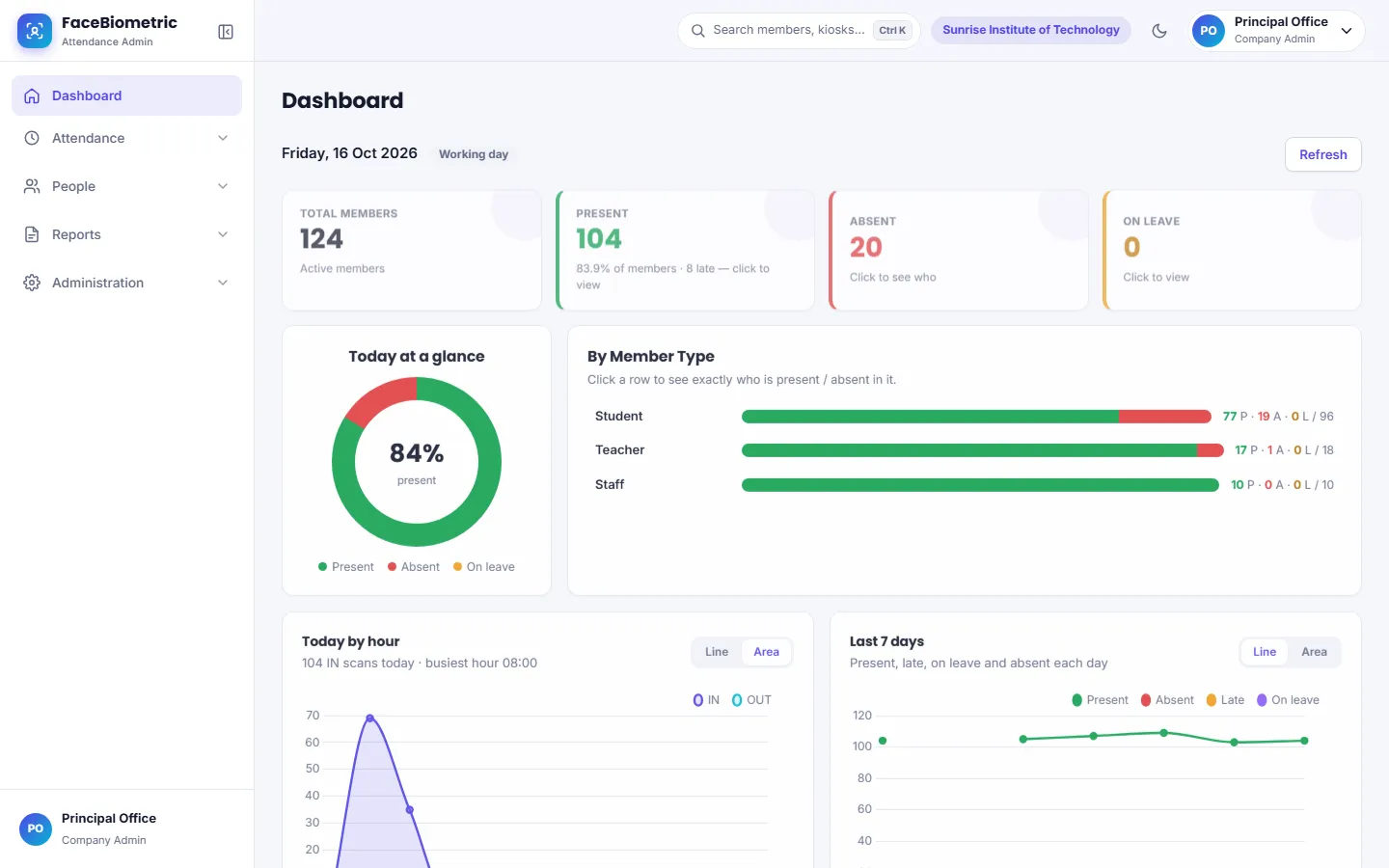
- Dashboard — present / absent / late / on leave today, hourly chart, last 7 days and monthly batch-wise trends
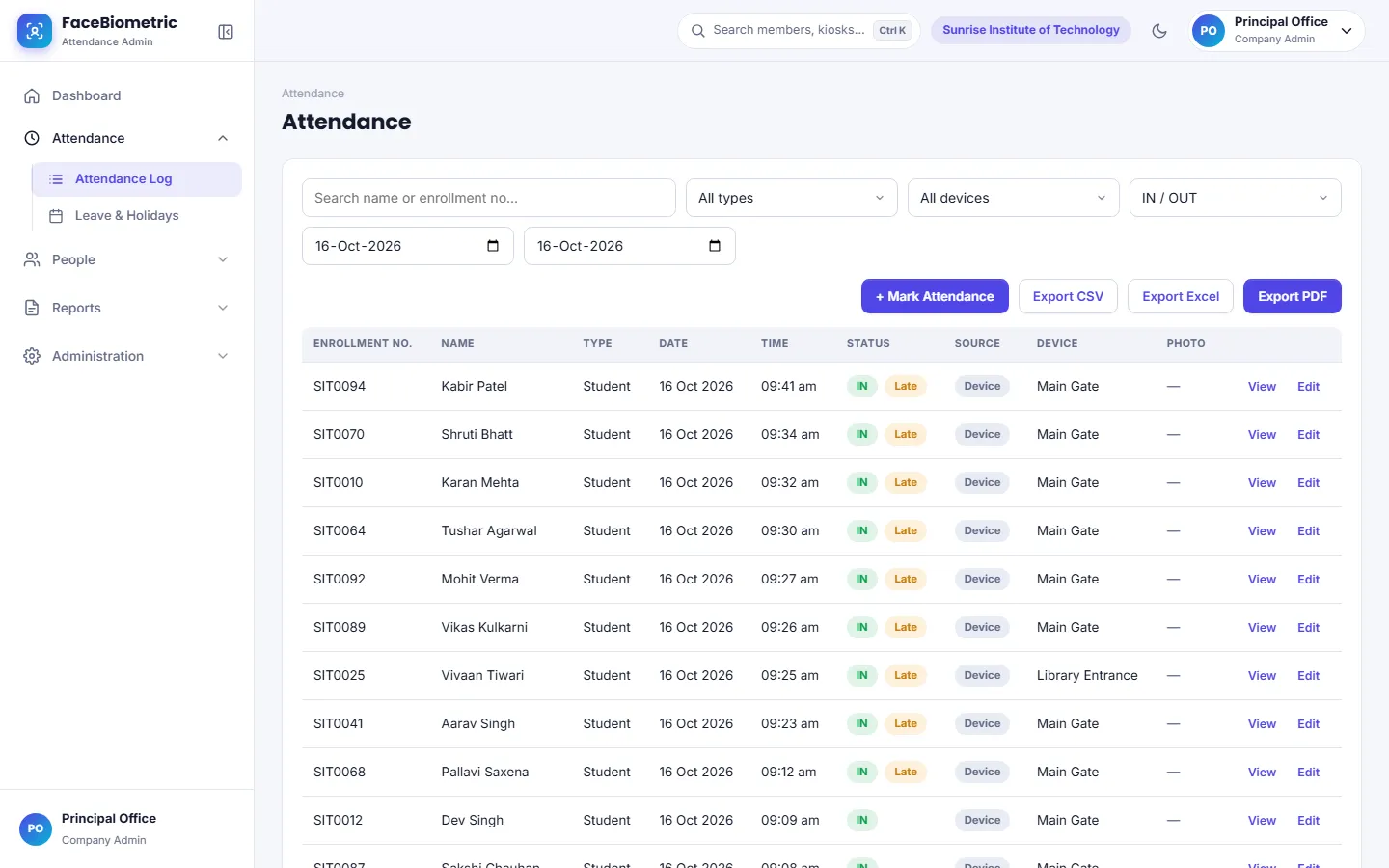
- Attendance log — filters, manual marking with reason, IN / OUT corrections, optional scan photo with the registered photo side by side
- Members — bulk import from Excel / CSV, member types, departments, courses and batches, member profile with monthly calendar
- Users & permissions — college admin or staff with View / Manage access per module; pages a user can't use are hidden
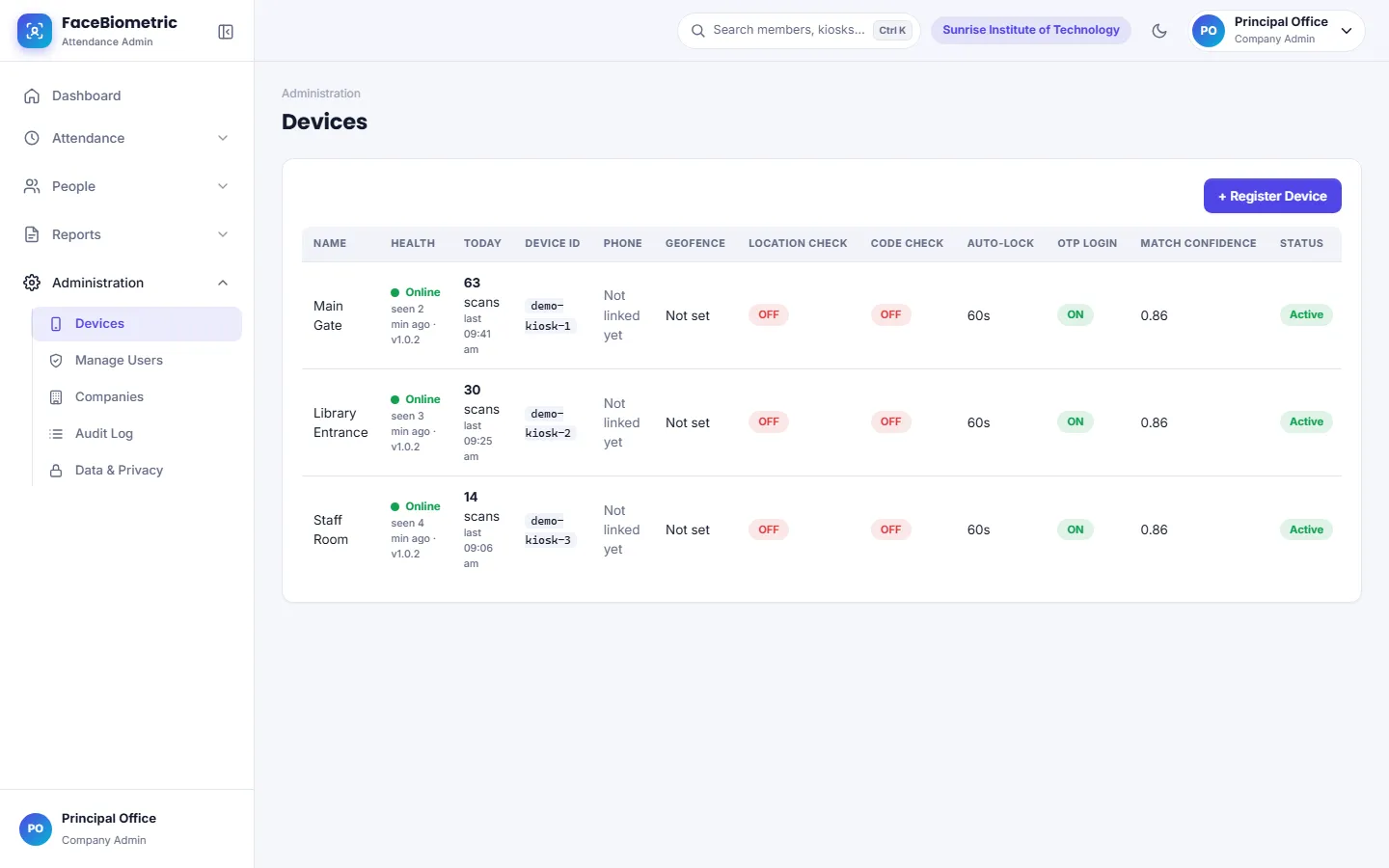
- Kiosk health — online / offline status, last sync and today's scans for every device
- Global search — find any member, kiosk or page with Ctrl + K
See the real admin panel
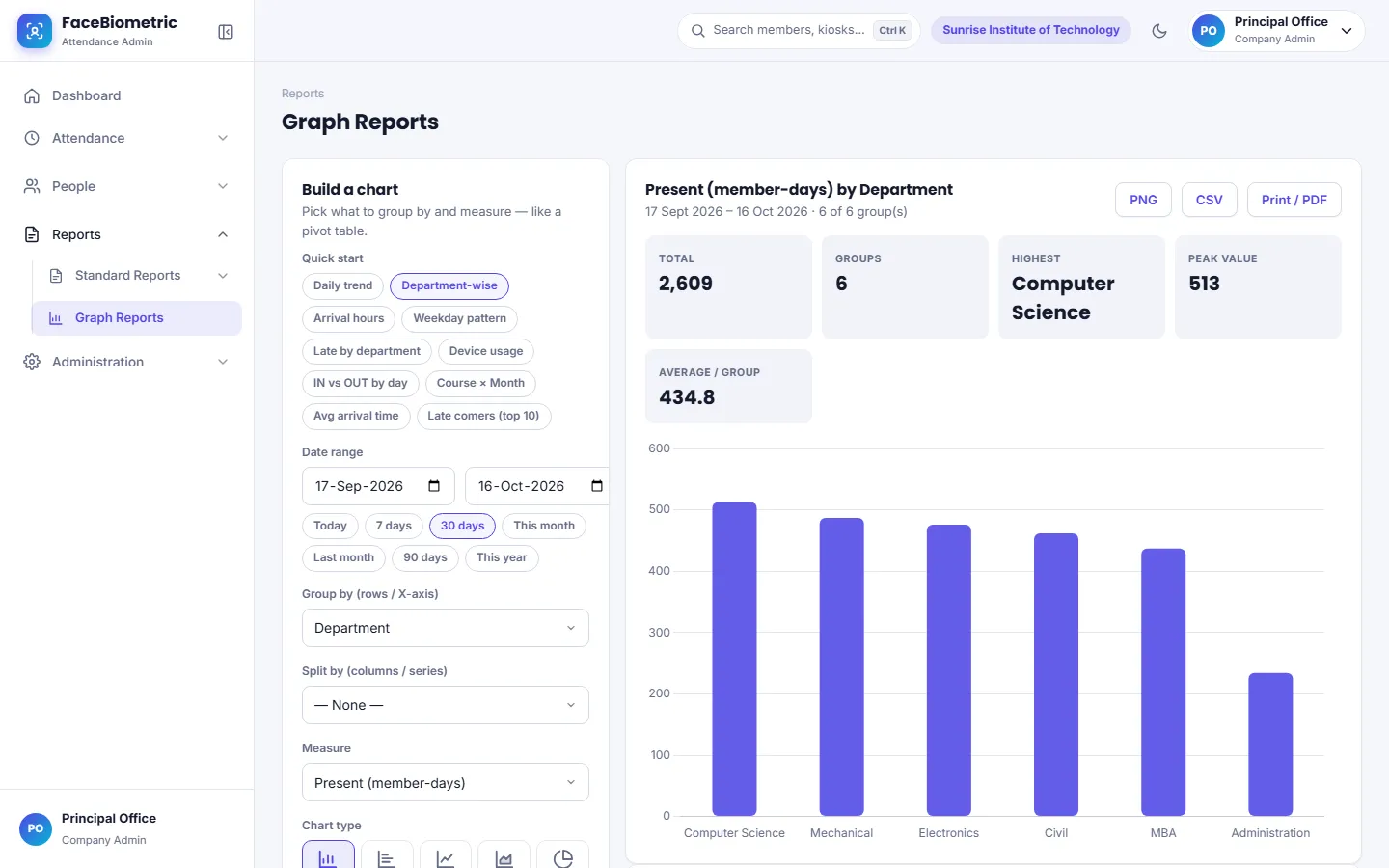
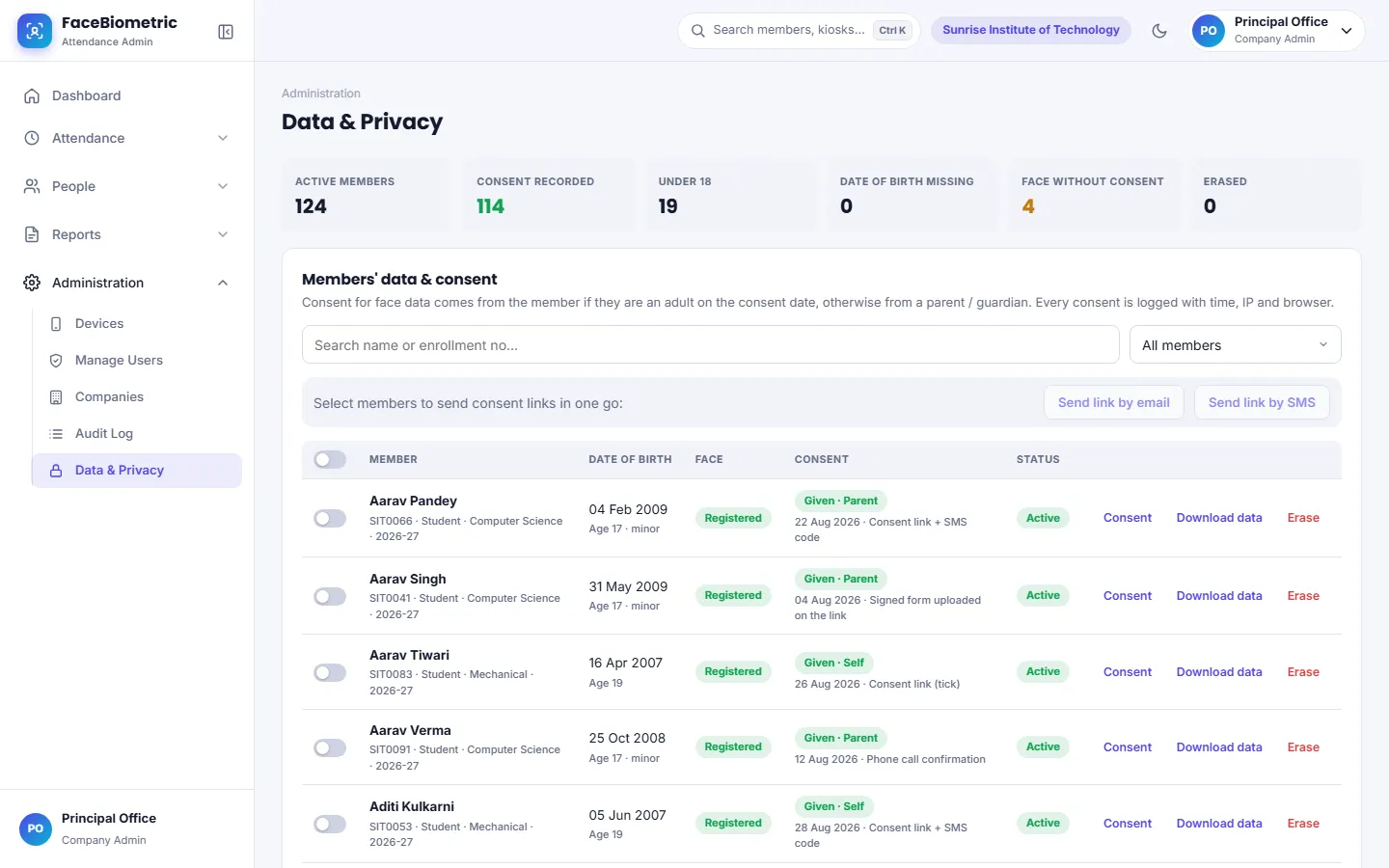
These are actual FaceBiometric screens — shown with sample data of a demo institution.
The report you need, already made
PDF, Excel and CSV — the file name carries your filters, e.g. daily-attendance-report-batch-2026-27-….pdf.
Daily attendance
In / out time and status of everyone, sorted by arrival, with chosen columns.
Monthly summary
Working days, present, absent, leave and holidays — with attendance %.
Department / course / batch
Compare groups side by side for any date range.
Device-wise
Scans and unique members per kiosk.
Manual entries
Every manual mark and edit, with who did it and why.
Face registration status
Who still needs to register, and who hasn't scanned in 30 days.
Graph reports
Line, bar, area, pie, radar — or a pivot table. Save your favourite views.
Absentee & late lists
One click to the list of who didn't come or came late.
Leave, holidays & shifts
- Holiday calendar with yearly view and CSV import
- Leave types and leave marking
- Multiple shifts — late, half-day and early-exit rules per shift
- Weekly offs and grace periods
Notifications
- Absent and late alerts by Email, SMS or WhatsApp
- Daily summary to the principal / admin
- Kiosk-offline alerts
- Daily and monthly reports emailed automatically
Member portal
- Students and staff sign in with a one-time code
- See their own attendance and percentage
- Apply for leave; admins approve or reject
API & webhooks
- Read-only API for your ERP, HRMS or payroll
- Only new records each time — no duplicates
- Push webhooks the moment a scan happens
- Attendance log only — never photos or face data
Many campuses, one platform
Each campus has its own data, users, settings and features — fully separate — while the group office sees everything together.
See it working at your campus
A short live demo on your own phone — we set up a sample college, you scan your face and watch the report update.